Theatre, Immersive & Event Sound/Video DesignDigital Radio Station Owner & PresenterRenewables | Temporary Power
How Backstage Radio Actually Works (Behind the Scenes)
Radio is just a playlist of songs right? When you press play on Backstage Radio, it sounds simple; music, voices, news, clean, consistent audio.
Behind that simplicity is a fully redundant, automated system designed so the station can stay on air, built with high availability and redundancy in mind.
I didn’t come from a radio background – I came from live events. Building Backstage Radio allowed me to learn radio architecture from scratch – an entirely different signal flow, processing, streaming and compliance structure. I was lucky to have guidance from my one of my friends, Tom – who used to work in theatre, but now works in commercial radio. He helped me sanity check a lot of the fundamentals, which at the start was very confusing!
We ended up building a small broadcast infrastructure, running across multiple redundant servers, designed for mission critical work.
Inside that system are multiple virtual machines (VMs) – essentially a virtualised and independent computer running within an array of servers. Each with a very specific job:
What Does Backstage Radio Need To Run? (The VMs)
A playout system (where shows and music live)
An audio routing and monitoring layer
A backup + compliance recorder
Audio processing and stream distribution
Dual streaming servers in separate data centres
A silence detection monitor in the cloud
A listener shout-out automation system
An AI-powered industry news engine
An automated show recording & upload system
The Playout System
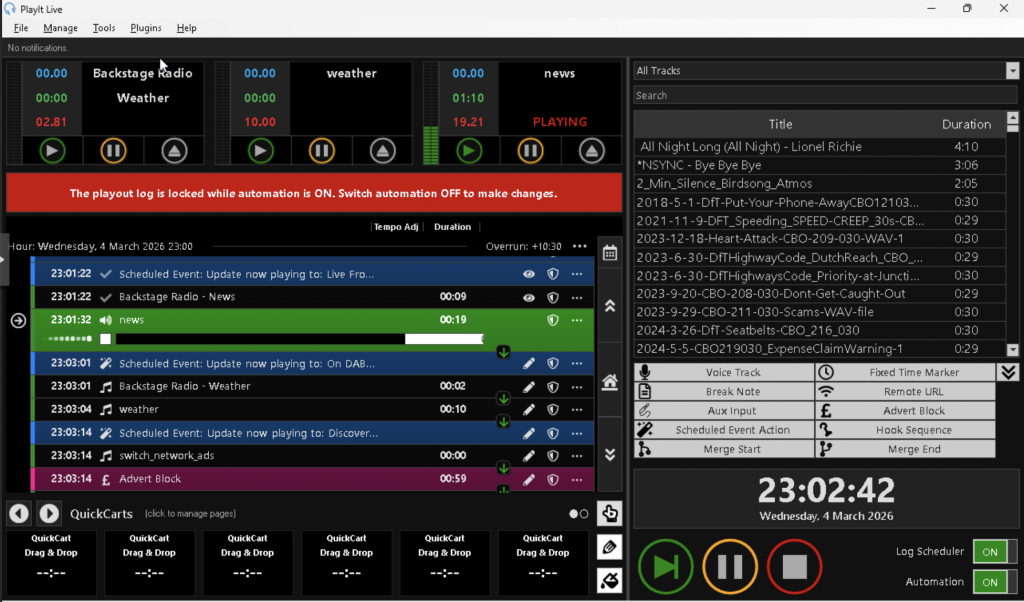
At the centre is a Windows virtual machine running PlayIt Live.
This is where:
All music is stored
Shows are scheduled
Presenters log in
Live shows are broadcast
Voice-tracked shows are recorded
If you’re presenting on Backstage Radio, this is where you work. It’s like a studio desk, music library and automation system – all in one.
Presenters log in and send audio to/from this main server which handles the operations of Backstage Radio. Rather than all coming from a single studio or presenter.
The Audio Router
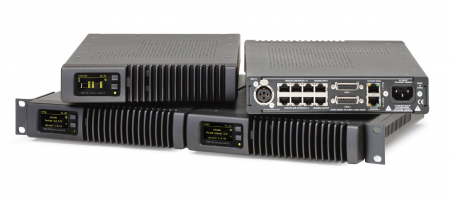
Audio leaves the playout system and passes through an Axia xNode.
This bit is one of the only bits of non-virtualised hardware.
Its job is to move broadcast-quality audio around reliably and with extremely low latency. It acts as the bridge between the virtual world and the broadcast chain. Audio is routed between VMs and servers using Axia LiveWire.
The 'Utilities' Machine
This Windows VM does three critical jobs:
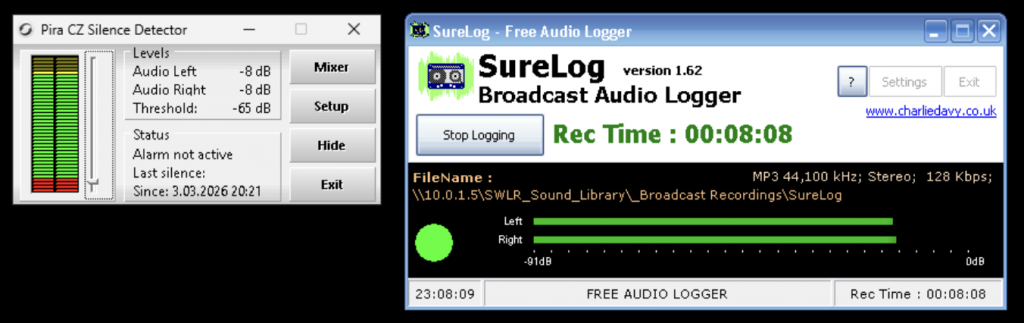
Silence Monitoring (Part 1): If it detects silence/no audio coming from PlayIt Live (via the Axia xNode audio router), it automatically switches to backup audio so dead air never reaches listeners.
Recording: The PC records the station output 24/7 to stay compliant with broadcast regulations.
News: It pulls in scheduled news audio ready for broadcast, from our news provider: Radio News Hub.
Audio Processing
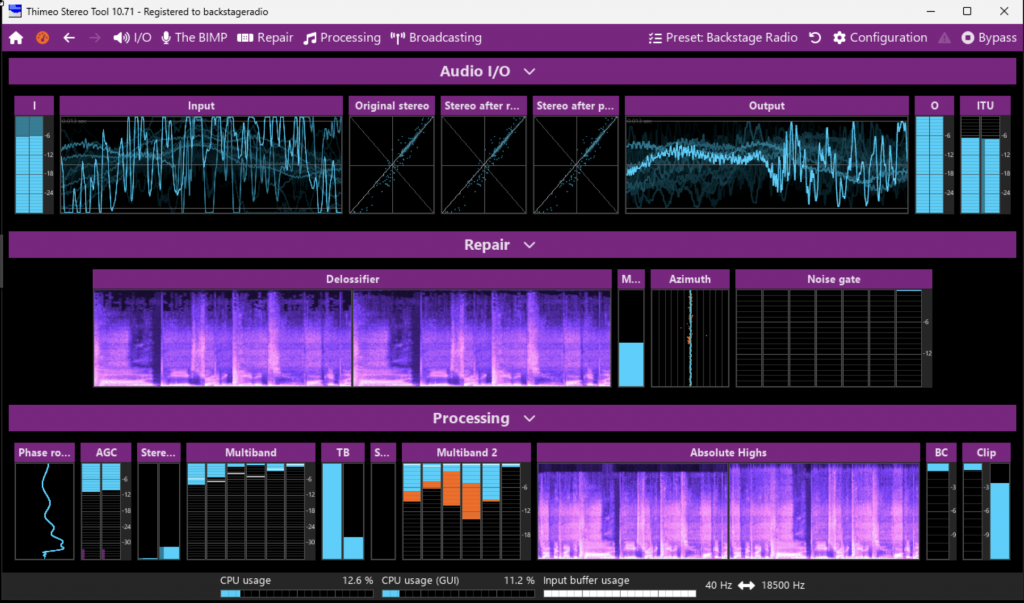
Before the station reaches listeners, it passes through another Windows VM running StereoTool.
This is where the station gets its sound;
Multi-band compression
EQ
Automatic gain control
Loudness control
Consistency between tracks
This ensures the station sounds polished, professional, and consistent whether you’re listening in the car, on headphones, or via DAB+.
The Streaming Layer
After processing, the audio is sent to two separate streaming servers running AzuraCast. They two servers live in different data centres.
If one goes down, the other keeps the station alive.
These servers:
Handle listener connections
Provide different bitrates (mobile vs high quality)
Feed the DAB+ encoder
Power the web player
When you press play on your phone – you’re connecting here.
Silence Monitoring (Part 2)
There’s another small VM in the cloud whose only job is to listen to the audio stream, post AzuraCast.
If it detects more than five seconds of silence, I’ll get a push notification to my phone allowing quick resolution of any problems.
On The Gig! Shout Outs
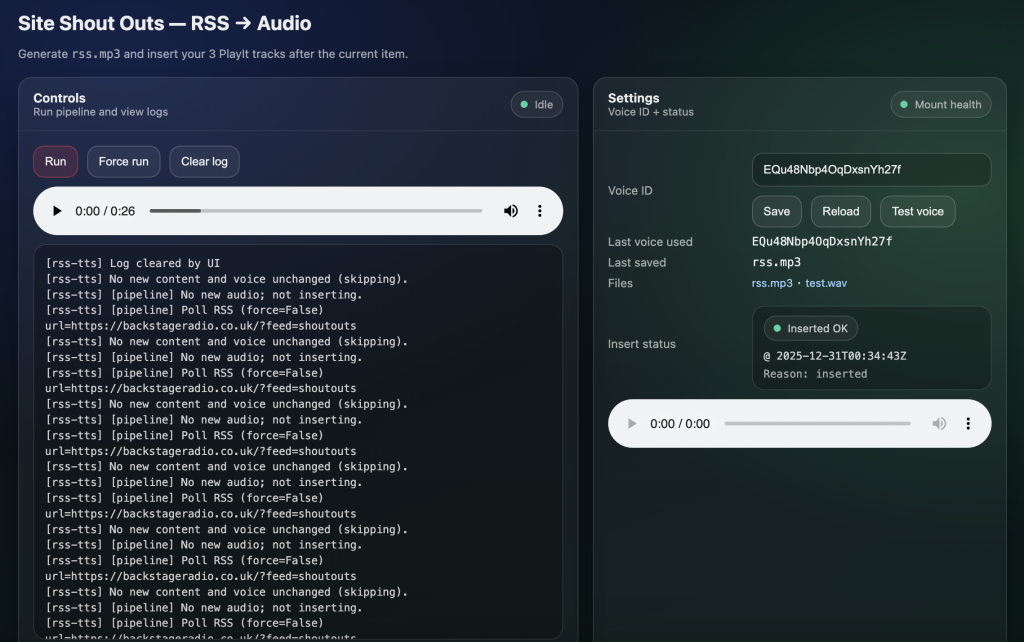
This is a fun one – If someone working on a show or event submits a shout-out via the website:
It comes in through WordPress (the website software) as an RSS feed. For that particular shout out, the respective RSS feed is pre/post cursed with a variation of text that introduces and exits the shout out (selected randomly by the website)
This is approved by one of the Backstage Radio admins via an email link
It’s converted to speech using ElevenLabs API (AI speech generation)
It’s inserted directly into the playout system (PlayIt Live) via its API. On The Gig! themed audio is placed before, after and during when the text to speech audio is played to give a live radio feel. The length of the ‘bed’ audio being played under the shout out from the website is automatically adjusted to the length of the text to speech conversion.
No manual audio editing required – a shout out from anywhere in the world becomes on-air audio in minutes.
The AI-Powered Industry News
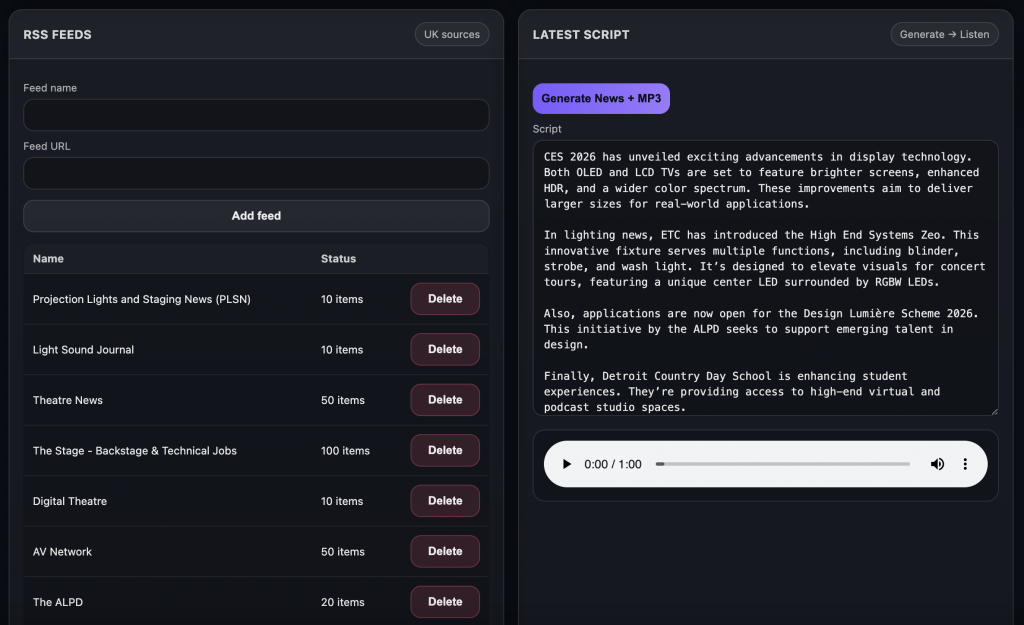
Upon a command from the playout software (PlayIt Live), this VM pulls RSS feeds from across the live events industry – sound, lighting, AV, magazines, jobs and theatre.
This VM then:
Compiles the latest stories from the most relevant RSS feeds
Summarises them using AI (ChatGPT API)
Converts them into broadcast-ready scripts (ChatGPT API)
Turns them into speech (ElevenLabs API)
Outputs a finished news bulletin
That bulletin plays twice daily on Backstage Radio, with news sting audio added underneath, all behind the scenes – It’s an automated newsroom built specifically for our industry.
Show Recording
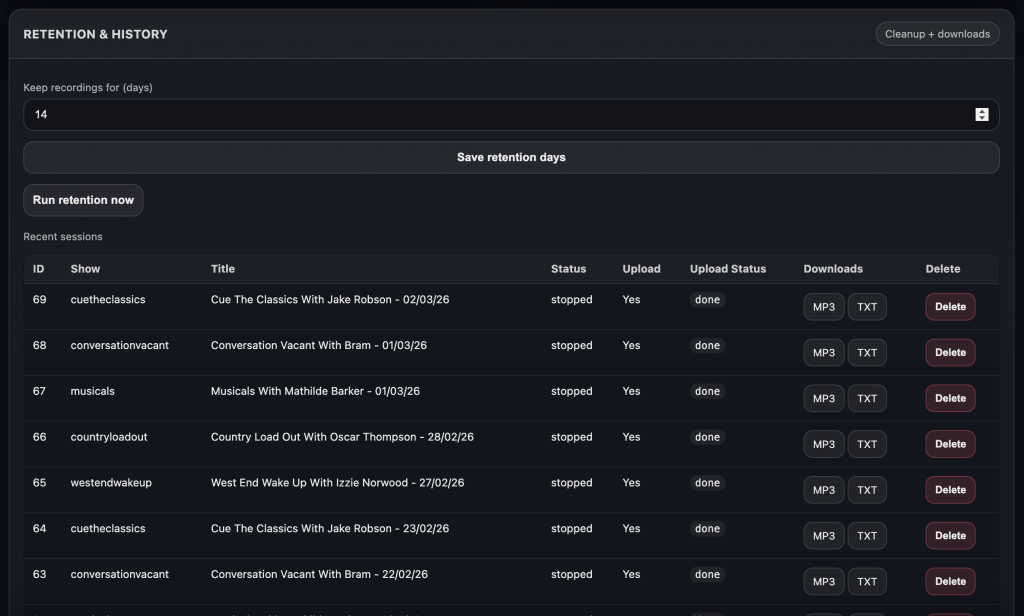
When a live or voice-tracked show starts, a trigger from the playout software, tells this VM to begin recording.
It:
Records the show
Captures metadata (i.e track and artist name)
Time-stamps all metadata
Automatically uploads to Mixcloud, where on-demand shows are kept for Backstage Radio, via their API
Presenters don’t need to manually export or upload anything.